- Android
- Platform
- No ads
- Ever
- No account
- Needed
- On-device
- Your data stays on your phone
Take your time back from your phone.
Less scrolling, more living.
ScreenUncle is a friendly Android app that helps you spend less time on the apps that eat your day. Set a daily limit, and when time is up the app is blocked until midnight.
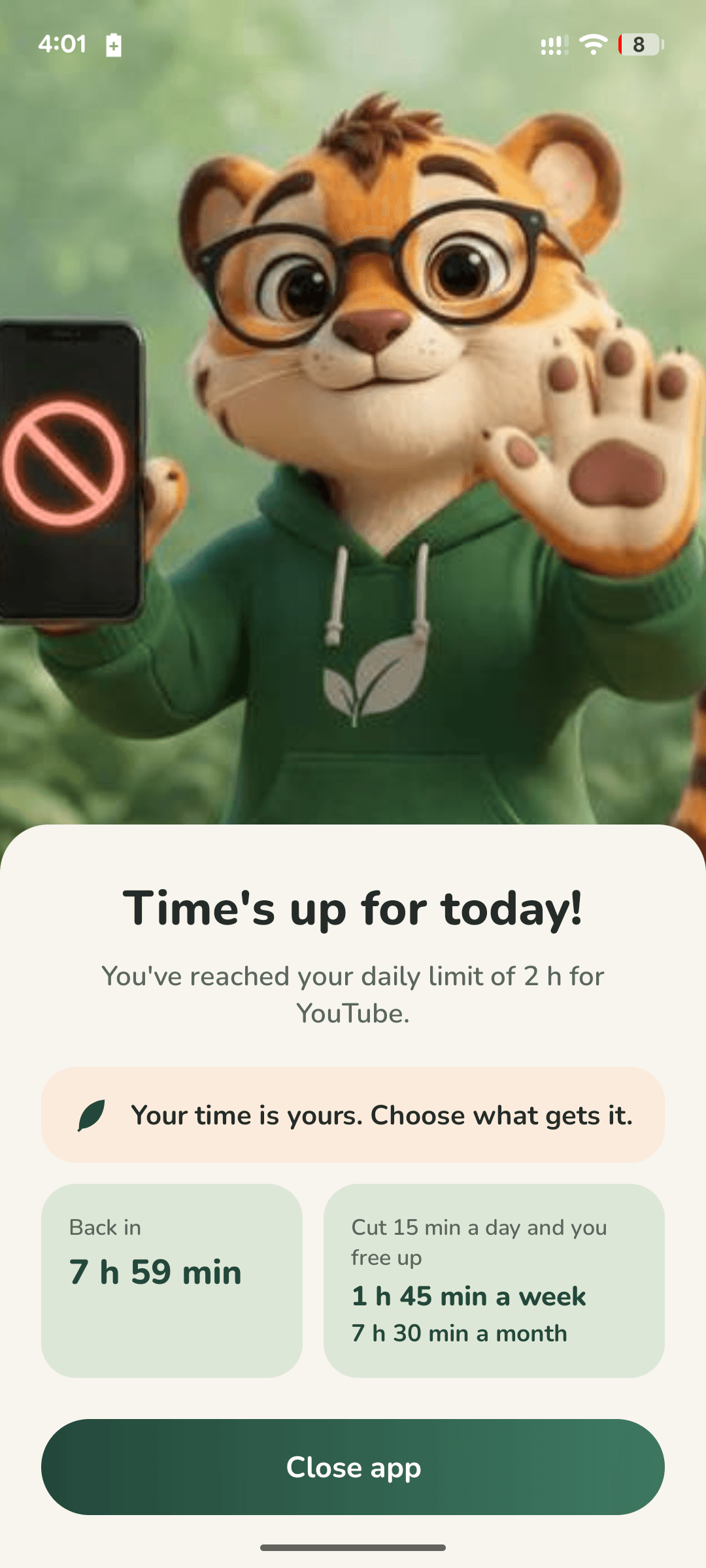
Blocks the app when your limit is up
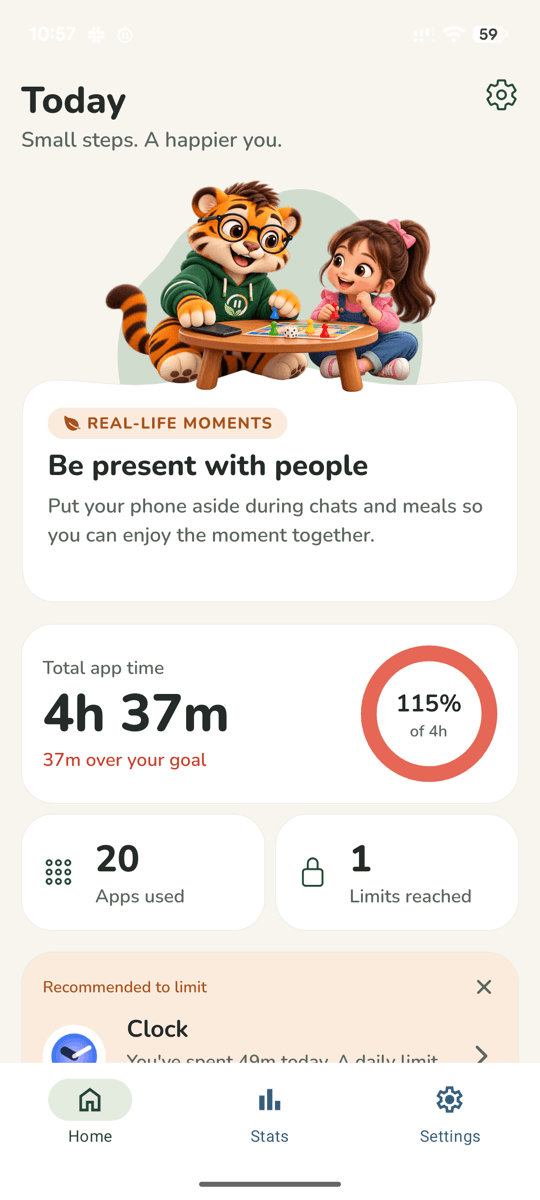
See your day at a glance
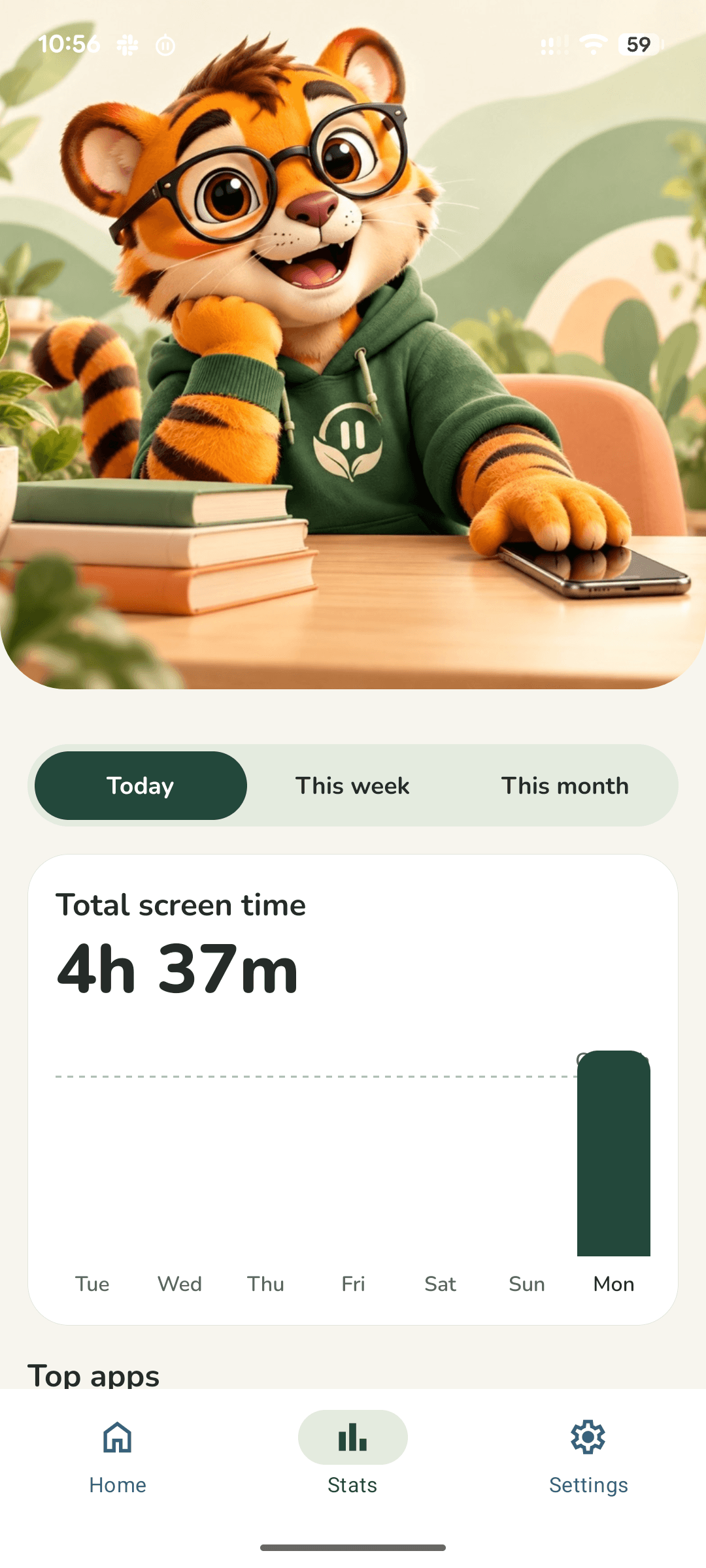
Watch your screen time shrink
About this app
The problem
You pick up your phone to check one thing, and an hour disappears. Videos, reels and feeds are built to keep you scrolling, and willpower alone rarely wins against them. The hours add up: less time for family, sleep, study and the things you actually care about.
How ScreenUncle helps
Choose the apps that eat your time and set a daily limit for each. When a limit is reached, ScreenUncle blocks that app until midnight. No lectures and no guilt, just a gentle tiger friend helping you decide what gets your time.
How it works
- 1
Pick your apps
Choose the apps you want to spend less time on, like YouTube, Instagram or games.
- 2
Set a daily limit
Decide how long is enough, for example 2 hours a day. You can change it any time.
- 3
Live your day
ScreenUncle nudges you at the halfway mark. When the limit is reached, the app is blocked until midnight.
What you get
Daily limits that hold
Set a limit for any app. At the limit, it is blocked until midnight.
Today and Stats
See today's screen time, and how your days add up over the last 30 days.
Gentle nudges
A halfway popup, a heads-up before a limit, a morning thought and an evening well done.
App lock
Lock the app with your fingerprint, face or a PIN so limits are not changed on a whim.
Private by design
No account, no ads and no analytics. We never see how you use your phone.
Optional backup
Limits and settings can be backed up to your own Google account. Turn it off any time in Settings.
Private by design
ScreenUncle works on your phone. There is no ScreenUncle account and no ScreenUncle server, so your information stays with you.
- No account, no advertising, no analytics and no tracking.
- We never receive your usage, your list of apps or any personal information.
- Nothing is sold or shared.
- Backup to your own Google account is on by default and can be turned off in Settings. We cannot see it.
- ScreenUncle is for managing your own phone use. It is not a monitoring or parental-control app.
Permissions, explained
ScreenUncle asks only for what it needs to do its job.
Usage access
To show your time today and in Stats, and to know when an app reaches the limit you set. The app reads only which app is in front and for how long.
Display over other apps
To show the "limit reached" screen and the halfway popup on top of the app you are using, and the small scroll counter and break reminder if you use Reels & Shorts counting. It is not used to read anything on your screen.
Notifications
For the halfway popup, a heads-up before a limit, a note when a limit is reached, a morning thought and an evening well done. They are created on your phone.
Reels & Shorts access (optional)
Only if you turn it on in your phone's Accessibility settings, after the app explains it. It lets ScreenUncle tell when Instagram Reels or YouTube Shorts is open so it can count your scrolls and time. It listens to Instagram and YouTube only, reads no text or content, and stores only counts and times on your phone. Switch it off any time in Accessibility settings.
Background service
A small notification-backed service checks which app is open so limits keep working, and it starts again after your phone restarts.
Fingerprint or face unlock (optional)
A shortcut for the app lock. Your phone does the check, and the app never sees your fingerprint or face.
What's new
Version 1.0.0 · First release
- Set a daily time limit for any app. At the limit, it is blocked until midnight.
- See today's screen time and how your days add up.
- Gentle nudges: a halfway popup, a heads-up before a limit, a morning thought, an evening well done.
- Lock the app with your fingerprint, face or a PIN.
- Your usage stays on your phone and we never see it. Backup to your Google account can be turned off in Settings.
Frequently asked questions
Is ScreenUncle available for iPhone?
Not at the moment. ScreenUncle is an Android app, coming to Google Play.
Can ScreenUncle see my messages or what is on my screen?
No. ScreenUncle does not read your screen, messages, contacts, location, photos or files. It only knows which app is in front and for how long. The one optional exception is Reels & Shorts counting, which uses Android's Accessibility Service only if you turn it on. It watches Instagram and YouTube only, sees just the names of on-screen elements and scroll events, and reads no text or content.
What is Reels & Shorts counting, and is it required?
It is optional. If you turn it on in your phone's Accessibility settings, ScreenUncle can tell when Instagram Reels or YouTube Shorts is open, count your scrolls and time, show a small counter and, if you choose, take you back out. It stores only counts and times on your phone and sends nothing anywhere. You can switch it off at any time and the rest of the app works as before.
Can I use it to monitor someone else?
No. ScreenUncle is a tool for managing your own phone use. It sends no information anywhere, so it cannot be used to watch another person.
Why does it need "Display over other apps"?
So it can show the "limit reached" screen and the halfway popup on top of the app you are using, and the small scroll counter and break reminder if you use Reels & Shorts counting.
What happens if I reinstall the app or change phones?
If Backup is on, your limits, settings and recent usage are kept in your own Google account, and ScreenUncle asks whether to bring them back after you reinstall.
Can I turn a limit off or change it?
Yes, you can remove or change a limit from its screen. If you set an app PIN, it is needed to change limits. Remember that no app can stop you from uninstalling it or switching off its permissions in your phone Settings.
Ready to take your time back?
Less scrolling, more living. ScreenUncle is coming soon to Google Play.
ScreenUncle is designed and built by AKD Softwares. Have an app idea of your own? Let's talk